
 Polski
 Čeština
 Slovenčina
 Deutsch
 Italiano
 Español
Allegro offer number: where to find it and what it’s used for
The Allegro offer number is a string of digits, such as 13617907321, that Allegro assigns to every offer you list. The quickest place to find it is at the very end of the offer page URL, and sellers can also see it next to each offer in the My Assortment tab.
 Wojciech PiszczekCEO & Founder
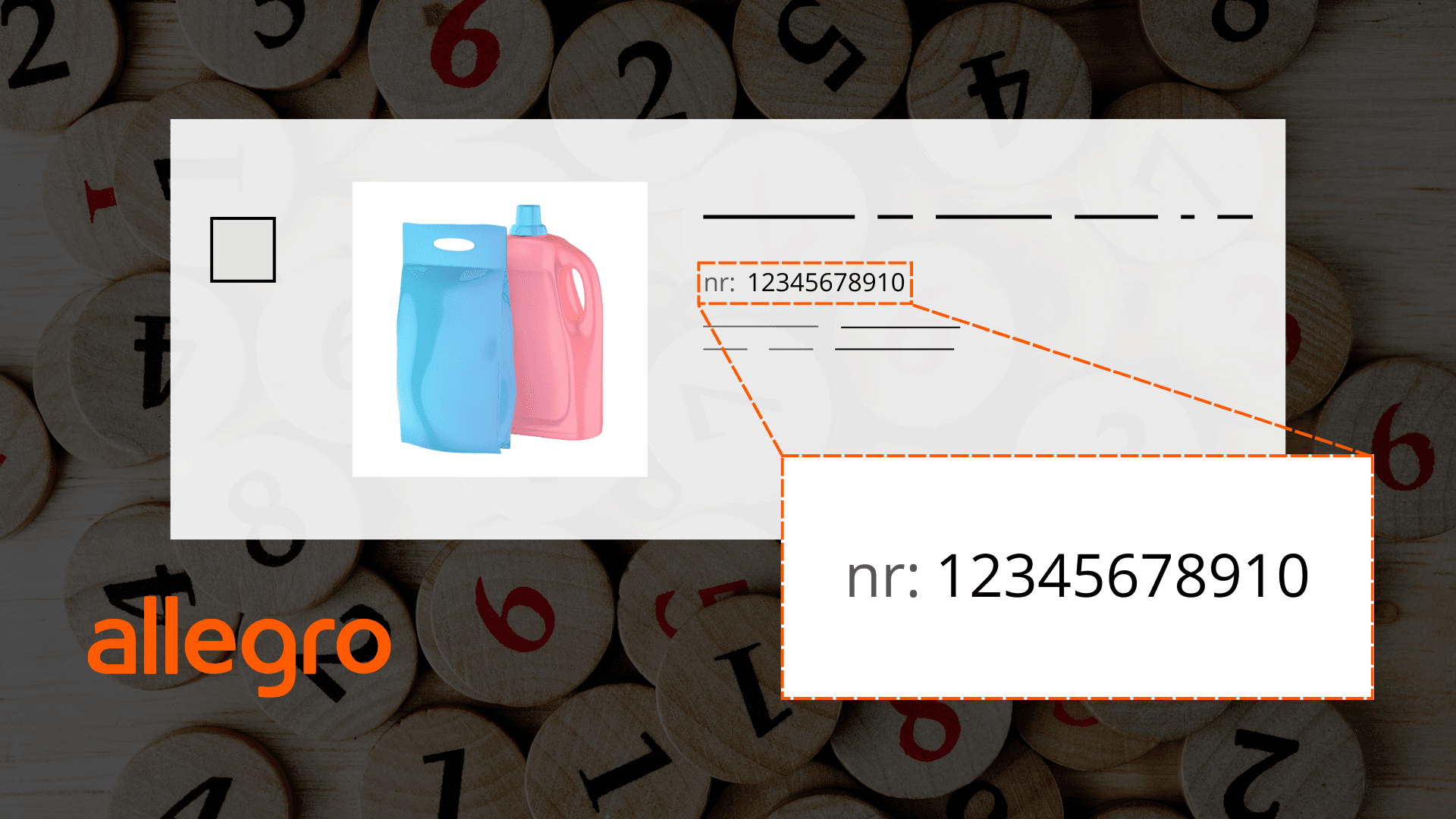
The offer number comes in handy when you contact Allegro support, set up a campaign in Allegro Ads or connect your account to an integration platform. Below we explain how it differs from an EAN code and an order number, where to look for it and how to find an offer when all you have is the number.
What is an Allegro offer number?
The offer number identifies one specific offer from one specific seller. It does not change when you edit the title, price, photos or description, so it lets you pinpoint the offer even after many rounds of changes.
It is easy to confuse with the other numbers you come across when selling on Allegro:
Number | What it identifies | Example use |
|---|---|---|
Offer number | One offer from one seller | A request to Allegro support, an Allegro Ads campaign |
EAN (GTIN) code | The product, regardless of the seller | Linking an offer to its product card in the Allegro catalogue |
Order number | One customer purchase, which may include several offers | Handling a return, a complaint or an invoice |
If the same product is sold by twenty sellers, it has one EAN code but twenty different offer numbers. A single order, on the other hand, can cover several offers from the same seller.
Where can you find the offer number on Allegro?
You can find the offer number in three places, depending on whether you are a buyer or a seller.
- In the offer page URL
Open the offer and look at your browser’s address bar. The address looks like this: allegro.pl/oferta/product-name-13617907321. The string of digits at the end is the offer number. If you have landed on a product page that lists several sellers, click a specific seller’s offer to see its number in the address. - In the seller panel
The My Assortment tab in Sales Center shows the number for each offer, next to its title and photo. This is the most convenient place to copy the numbers of many offers at once, without opening them one by one. - In the purchase history
A buyer who wants to give the seller an offer number will find the purchase in the “Purchase history” tab of their account. All they need to do is open the offer from there and read the number from the page address.
How do you search for an offer by its number?
Type the offer number into the Allegro search bar on the home page and press Enter. If the offer is active, Allegro will take you straight to it.
You can also build a link to the offer from the number alone: simply add it to the end of allegro.pl/oferta/, which gives you, for example, allegro.pl/oferta/13617907321. There is no need to include the title in the address. This is a handy way to send someone a link to an offer when all you have to hand is the number, for instance from a Sales Center export or from your integration platform.
What is the Allegro offer number used for?
The offer number is the simplest way to single out one specific offer, rather than one of many similar ones, whatever the context. In practice, sellers use it most often in three situations:
- Contacting Allegro support
When you submit a request about a blocked offer, incorrect parameters or a commission you have been charged, quoting the number lets the support agent find the right offer straight away. - Allegro Ads
When you create a Sponsored Offers campaign, it is easier to find an offer by its number than by its title, especially when several offers have similar names and differ only in, say, colour. We cover campaigns in more depth in our guide to how advertising on Allegro works. - Integrations and API
Integration platforms such as Baselinker, as well as the Allegro API, identify each offer by its number. That way, a sale in one channel updates the stock level on the right offer. If you are connecting Allegro to your warehouse system or online shop, see what a Baselinker implementation looks like.
It also pays to write your Allegro offer description so that it answers customers’ questions on its own.
Allegro offer number: frequently asked questions (FAQ)
Does the offer number change after you edit the offer?
No. An Allegro offer number stays the same even if you change the title, price, photos or description. A new number is only created when you list a new offer, including when you use the option to list a similar offer.
Is the offer number the same as the EAN?
No. The EAN identifies the product and is the same for every seller, whereas the offer number identifies one offer from one seller. The same product can therefore have one EAN and many offer numbers.
How do you find an offer on Allegro by its number?
Type the offer number into the Allegro search bar on the home page, or open the address allegro.pl/oferta/ with the number added at the end. If the offer is active, it will appear straight away.
Where can a buyer find the offer number of an item they have bought?
Buyers can find the offer number in the “Purchase history” tab of their Allegro account. Once they open the offer from that purchase, the number is visible at the end of the page address.
Can I put a link to another of my offers in the description?
No. Under Allegro’s rules, an offer description should relate only to the item you are selling in that offer and must not contain information about other products, even if they are available in your other offers. That means you should not point buyers to them by offer number either. To show customers other products, use Allegro’s own tools, such as product sets or product series.
The offer number is a small detail, but a well-organised account is built on details like these: consistent offers, a smoothly running integration and quick handling of requests. If you would rather have someone look after all of this day to day, you can hand the running of your Allegro account to our team. For a broader look at where to start with selling, see our guide on how to sell on Allegro.
Did you find this article helpful?
This article has no ratings yet — be the first.
Autor
Wojciech Piszczek
CEO & Founder
I’ve been immersed in e-commerce for more than ten years, with a core focus on helping brands scale onto international platforms like Amazon, eBay, Kaufland, and eMAG. My experience covers the entire sales lifecycle—from high-level strategy and logistics to marketing and conversion optimisation. I help businesses not only enter new markets but scale sustainably, ensuring they avoid the costly pitfalls often faced by those just starting out.