
 Polski
 Čeština
 Slovenčina
 Deutsch
 Italiano
 Español
Allegro product sets
In this guide, you will learn how to create product sets on Allegro and discover the commercial benefits of bundling your offers. We will also cover the technical aspects of building these sets and ensuring they get maximum visibility. By the end of this article, you will know exactly how to link items within a single listing to boost your overall sales volume.
 Kamil MarczukE-commerce Sales Specialist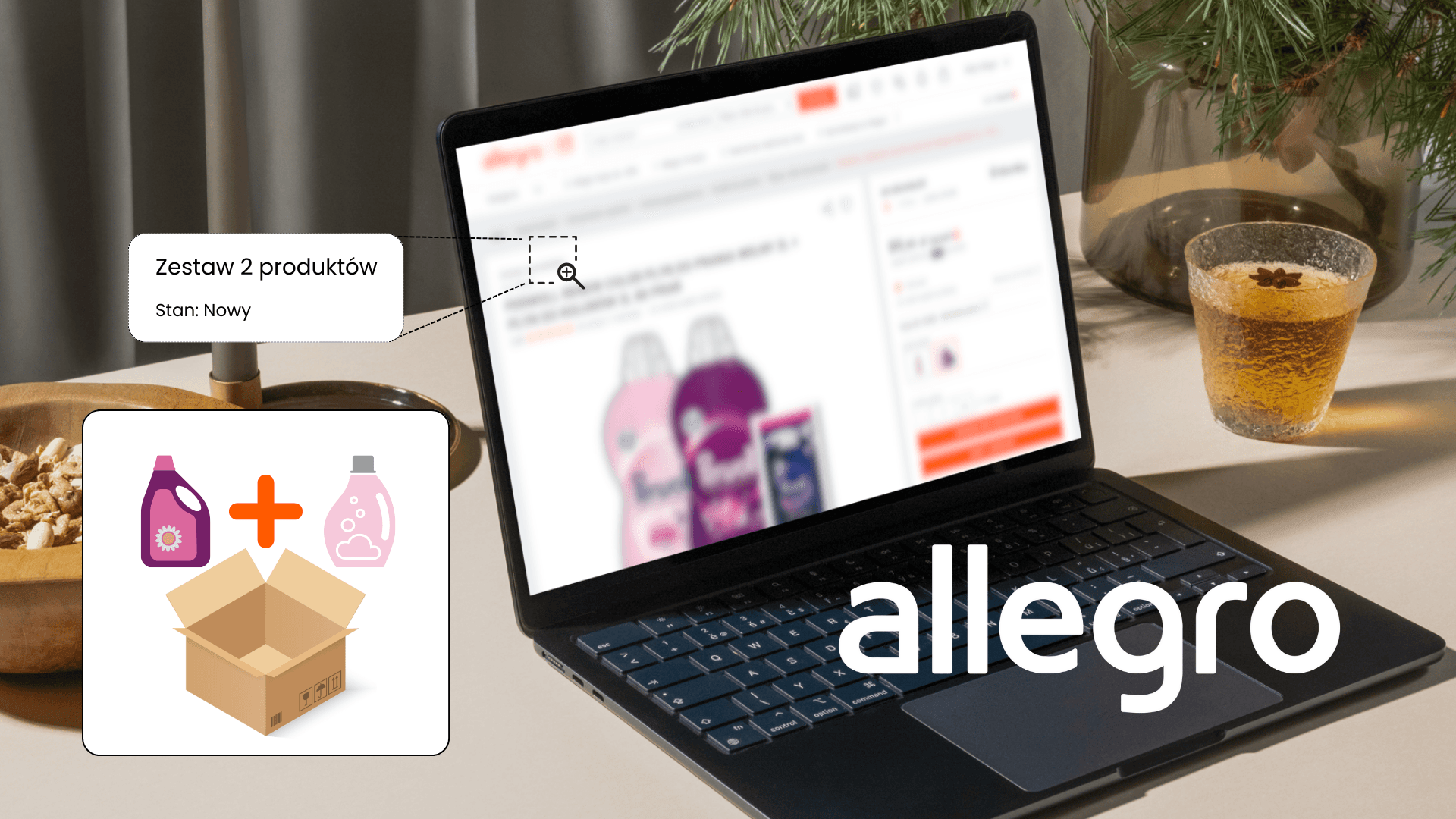
Allegro provides sellers with a powerful tool to increase basket value: product sets. By bundling items together, you can scale your sales, expand your catalogue, and reach a wider audience. Product sets enhance the customer buying experience by saving shoppers the time they would otherwise spend searching for compatible accessories. The setup process is remarkably straightforward and can yield a rapid return on your time investment. If you want to improve your bottom line, creating product sets on Allegro is a brilliant place to start.
What are product sets?
Product sets allow sellers to combine multiple items into a single listing. These bundles often consist of complementary items, such as a core product paired with relevant accessories, encouraging customers to purchase the complete package rather than a standalone item. This feature also enables you to offer volume discounts or special pricing for specific product combinations.
Example: Think of selling a smartphone. You could bundle it with a screen protector and a case. For a laptop, you might offer a bundle that includes a wireless mouse and a USB hub. Add an attractive discount to sweeten the deal, and you have a proven strategy for increasing your revenue.
Why use product sets?
Leveraging product sets on Allegro brings substantial benefits to both sellers and buyers. The most significant advantage is the increase in average order value (AOV). For lower-ticket items, pushing the basket total over the 45 PLN threshold for free Allegro Smart! delivery can be the deciding factor for a buyer. Beyond triggering free shipping, the key benefits include:
- Driving sales by bundling items into appealing, ready-to-buy packages.
- Clear visibility, as listings are officially tagged as a product set.
- Pricing flexibility, allowing you to offer compelling discounts.
- Streamlined catalogue management within your Allegro account.
- Optimising visibility without cluttering the search results with duplicate single-item listings.
Which items can be bundled?
According to Allegro’s current guidelines, you can only create custom product sets within strictly defined categories. Attempting to bundle offers outside of the platform’s approved list will result in the listing form being blocked. We highly recommend checking these restrictions in the official Allegro Help Centre before you start.
When designing your sets, you need a clear strategy. Consider these common approaches:
1. Complementary products (natural add-ons):
- A main item (e.g., a smartphone).
- Multiples of an accessory (e.g., a multi-pack of screen protectors).
- Additional accessories (e.g., a protective case).
2. Bundling to boost slow-moving stock:
- A high-traffic bestseller with strong sales history and excellent conversion rates.
- A slower-moving item that struggles with low visibility and sales.
Note: Allegro restricts a single set to a maximum of 10 different products.
Key elements of a successful product set
What makes a product bundle truly effective? Keep these factors in mind:
- Hitting the 45 PLN mark: Aim for a total bundle value that qualifies the buyer for free Allegro Smart! shipping.
- Accurate descriptions: Make sure the listing description clearly explains why these items work well together and the value the customer gets from buying them as a set.
- Logical combinations: Only bundle items that genuinely complement each other or use high-traffic items to cross-sell relevant, lower-visibility stock. Reviewing your cross-selling data in Allegro Analytics is a great way to identify winning combinations.
- Competitive pricing: Bundling often reduces your fulfilment costs, so pass some of those savings on to the customer to make the set irresistible.
- Clear quantities: Be transparent about exactly how many units of each item are included. Analyse your sales history to create multi-buy sets that align with actual customer purchasing habits.
How to create a product set on Allegro
Listing product sets is a straightforward process managed directly through your Allegro Sales Center. Follow these steps to get started:
- Log into your Sales Center dashboard.
- Navigate to the Assortment tab and click List an offer.
- Search for your primary product using its GTIN (EAN, ISBN, or ISSN).

- Click Select next to the correct item to set it as your main product.
- If required, search for the additional items you wish to include in the bundle.
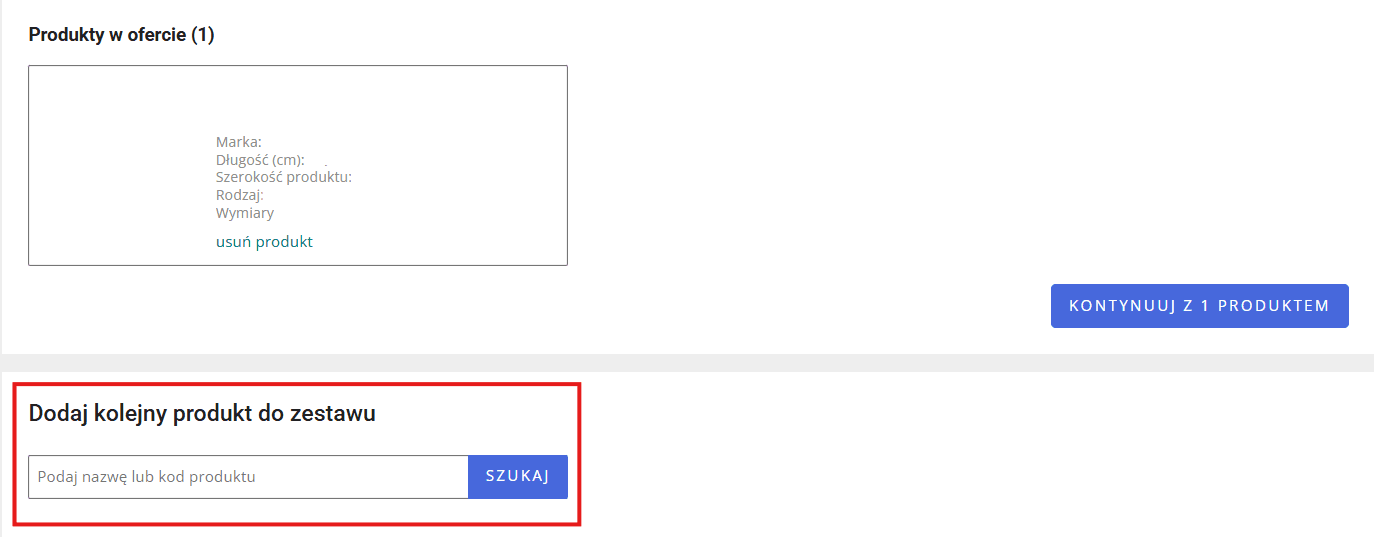
- Once you have selected everything, click Continue with [x] products.
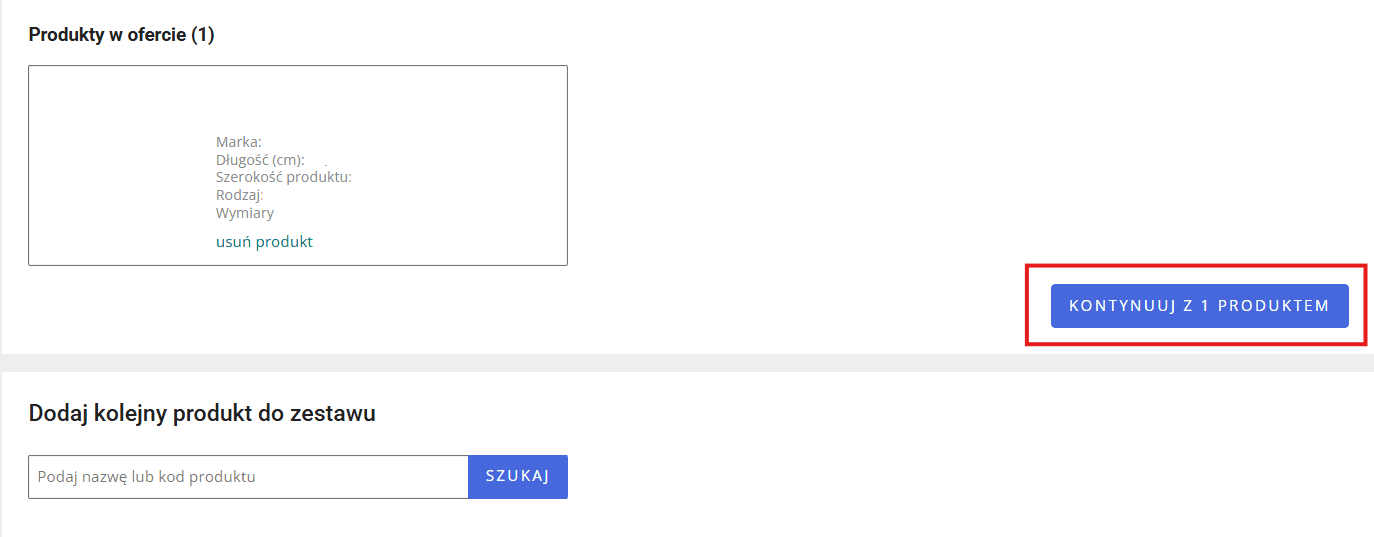
- Fill in the required details on the listing form:
- Listing title: Clearly state what the product set includes.

- SKU: Use a unique reference code to distinguish the bundle from your standalone listings.

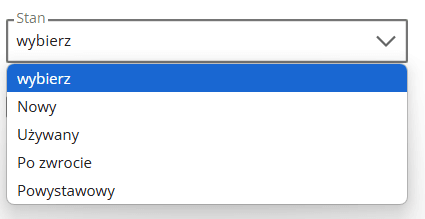
- Item condition: This only needs to be specified for the main product.
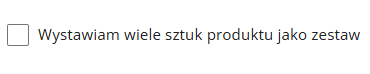
- Quantity: If you are offering multiple units of the same item, select “I am listing multiple pieces of the product as a set” and enter the exact number.
- Missing parameters: If the Allegro catalogue is missing any data, fill in the blanks. A fully optimised catalogue entry significantly improves your conversion rate.
- Adding more items: If you forgot an item earlier, use the “Add another product” option and repeat the process.

- Images: Your main thumbnail should ideally display all the items included in the bundle. Make sure to upload high-quality images of all complementary products.
- Description: Pay close attention to detail. Inaccurate or confusing descriptions are the quickest way to lose a sale.
- Listing title: Clearly state what the product set includes.
- Complete your standard terms of sale (shipping, returns, etc.).
- Click List item at the bottom of the page.

Congratulations! You have successfully created a product set listing. Once Allegro verifies it, your offer will go live for buyers.
Where will my product set be visible?
Your product set will be displayed in the category of the main item – the first product you selected during the setup process. For example, if you bundle a laptop (Electronics > Computers > Laptops) with a laptop bag (which sits in a different category), the entire set will be listed under the Laptops category. On the search results page and within the Allegro Product Catalogue, buyers will see a clear badge indicating Set of [x] products or Set of [x] items.
Managing your product sets
Allegro makes it easy to manage your bundles via the “My Assortment” tab in the Sales Center, where you can filter specifically for product sets. Your day-to-day management tasks will typically include:
- Editing listing details.
- Creating similar listings with different quantity variations.
- Adjusting the number of items within an existing set.
- Tracking the sales performance of your bundles.
- Ending listings that are underperforming or were created incorrectly.
Utilising these tools will help you refine your offer quality and reach a broader audience on the marketplace. Important note: When a set is sold, Allegro only deducts the stock from the specific bundle listing, not from your standalone product listings. Therefore, you must rigorously monitor your inventory levels across all listings to avoid stockouts and protect your Sales Quality metrics from negative feedback.
What to avoid when bundling
The main pitfall when creating sets on Allegro is poor or inconsistent listing descriptions. Maintaining high-quality, accurate copy is essential to reduce cart abandonment. The only other major mistake is pairing entirely unrelated items. Always base your bundles on genuine complementary relationships and proven cross-selling data to maximise your conversion rates.
Conclusion
Allegro product sets are a highly effective mechanism for driving sales volume and optimising your marketplace strategy. By offering logical product pairings and attractive volume discounts, you provide real value that encourages customers to spend more. Just remember to continuously monitor your bundles’ performance and adapt them to shifting market demands.
Ready to build your first product sets and dominate your category? Leverage our marketplace expertise to unlock your full sales potential on Allegro! Contact us today for a free consultation and tailored strategic support. Don’t leave money on the table. Start scaling your profits now!
Did you find this article helpful?
This article has no ratings yet — be the first.