
 Polski
 Čeština
 Slovenčina
 Deutsch
 Italiano
 Español
How to update prices and stock levels via bulk upload on eMAG
Updating prices and inventory levels using a bulk file on eMAG is a fundamental skill that every seller on the platform needs to master. It allows you to respond rapidly to market shifts, maintain pricing competitiveness, and avoid selling products that are out of stock. In this article, I will explain how to prepare your update file, outline eMAG’s specific requirements, and show you how to uploa
 Wojciech PiszczekCEO & Founder
Based on my experience working with numerous clients, I frequently see how chaotic price and stock management on eMAG leads to unnecessary losses – both financial and reputational. A single oversight, such as failing to sync your inventory levels, can quickly trigger cancelled orders and disgruntled customers. That is precisely why mastering the bulk update process via spreadsheets is vital for running an efficient marketplace operation.
Generating the file
To start updating your inventory and pricing, log into your eMAG platform and navigate to the Excel Import tab.
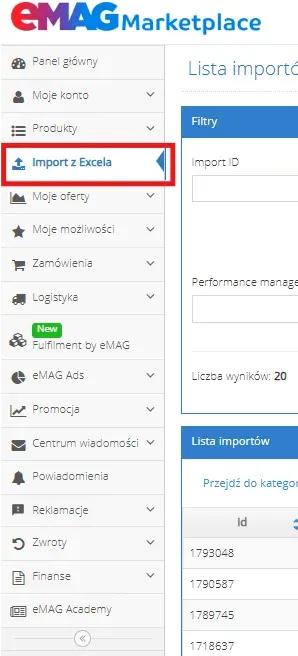
Generating the file
Next, click on Update offers.
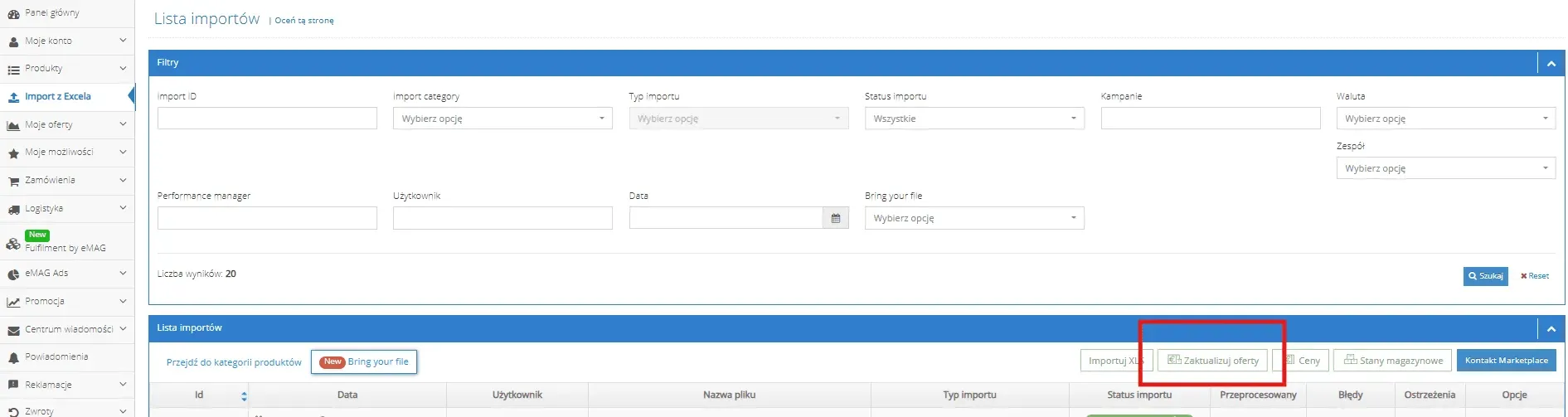
Update offers
Now, wait for eMAG to generate the file containing your current live listings.
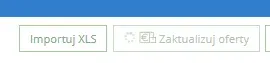
Generating
Once the file has been generated and is ready for download, the spinning loading icon will turn into an arrow, and the button will turn green. Click the Update offers button once more to download the spreadsheet to your computer.

Downloading the file
When you open the document, you will see a structured table containing the listing name, brand name, product codes (PNK and EAN), sale price, currency, stock levels, and other relevant marketplace attributes.

Spreadsheet preview
Updating prices, stock levels, and validation
If you want to amend your pricing or inventory levels, follow these steps:
First, locate the products you wish to update. To keep the processing time short and fast, delete all other rows, leaving only the items that require changes. You can isolate these quickly using Excel features like VLOOKUP or by using Highlight Duplicates after pasting your target EAN list into the relevant column.
Enter your new values in the appropriate columns. Pay close attention to formatting here: eMAG requires decimal points rather than commas for prices (e.g., 10.99, not 10,99). Additionally, ensure these columns are formatted as Text or General, not as numeric values.
Important note: Prices must be entered as NET amounts. eMAG automatically calculates and adds the 19% VAT on top.
When adjusting prices, always check if they fall within the limits set in the Price Validation columns. If your new price is lower or higher than these thresholds, you must adjust the values in the price validation columns first – otherwise, eMAG will reject the upload.
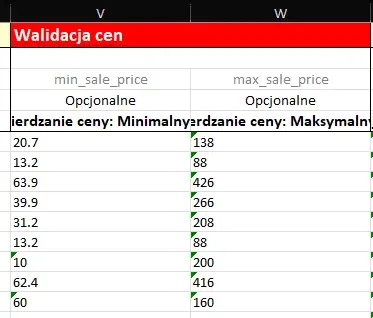
Price validation
Once all changes are complete, save the file to your computer.
Importing the XLS file
Once your file is saved, head back to eMAG and click Import XLS.
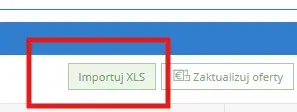
Import XLS
A new dialogue box will appear. Click on Drop files here to upload:
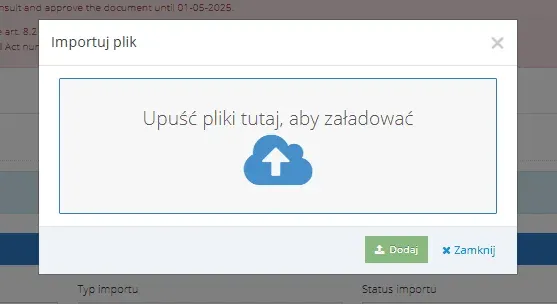
Drop files here
Select the correct file from your computer, attach it, and click Add.
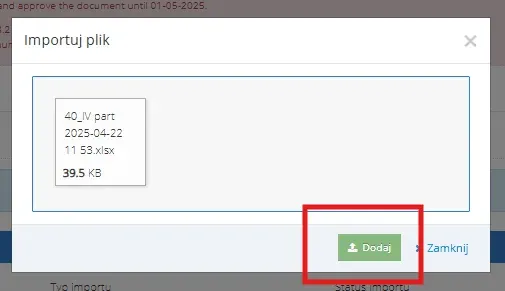
Locate the file on your computer and attach it
You should see the system confirmation message: Upload performed with success.
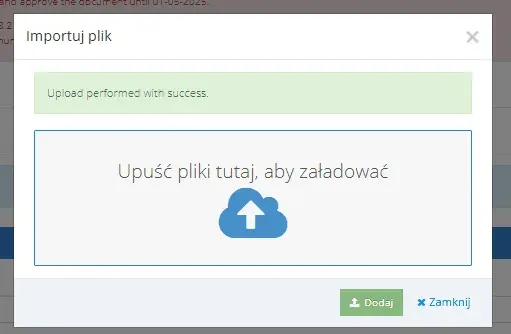
Upload performed with success
At this stage, you can close the dialogue box. Your uploaded spreadsheet will appear at the top of the queue with a status like Processing.

In processing
If all changes are registered correctly, the status will switch to Imported successfully, and the adjacent Processed column will show the exact number of listings that were successfully updated.
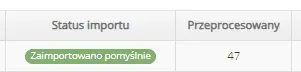
Imported successfully
Always verify this number against the number of rows you edited. If the figures match, your bulk update was executed correctly. If an error occurs, you will be able to download an error log file to review and rectify the issues.
Summary
Updating prices and stock levels via bulk upload on eMAG is a foundational yet critical component of a successful marketplace strategy. By mastering this process, ensuring your spreadsheets are perfectly formatted, and implementing regular syncs, you gain full control over your catalogue and safeguard your profit margins.
If you would like expert support to streamline this workflow, optimise your processes, and avoid costly mistakes, why not book a free consultation with us? We will help you scale your eMAG sales efficiently and stress-free.
Did you find this article helpful?
This article has no ratings yet — be the first.
Autor
Wojciech Piszczek
CEO & Founder
I’ve been immersed in e-commerce for more than ten years, with a core focus on helping brands scale onto international platforms like Amazon, eBay, Kaufland, and eMAG. My experience covers the entire sales lifecycle—from high-level strategy and logistics to marketing and conversion optimisation. I help businesses not only enter new markets but scale sustainably, ensuring they avoid the costly pitfalls often faced by those just starting out.